Insert it first.
Place VU Auto before EQ and compression. Choose one of nine instrument types to set a starting VU target.
AUTO SERIES 01 / VU-BASED AUTOMATIC GAIN STAGING
Less time setting levels.
More time making music.
Make gain staging a simpler part of your mix.
Choose the instrument, press LEARN, and play. VU Auto adjusts each track to an instrument-specific VU target.
With a conventional VU meter, you watch the level and adjust the gain by hand. VU Auto handles both the measurement and the adjustment for you.
One plug-in. Around 10–20 seconds of playback per track.
Start with a useful rough balance, then shape the mix by ear.
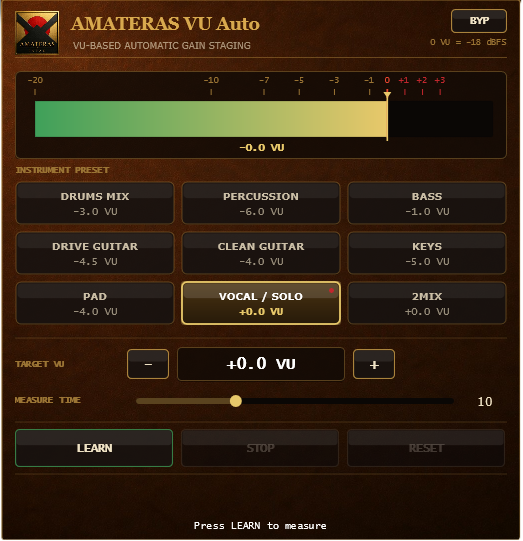
SHOWN: VOCAL / SOLO · TARGET 0 VUWINDOWS / macOS · VST3 / AU · ZERO LATENCY
01 / BEFORE THE MIX
THE FOUNDATION OF LEVEL
Recorded vocals, virtual instruments, and samples often arrive at very different levels. You turn up the vocal, then the bass feels too quiet. You are already chasing the balance before reaching for EQ or compression.
Gain staging gives each track a manageable reference level. VU Auto automates that preparation, so you can hear how the parts work together and decide what needs attention.
Before you touch a fader,
give each track a useful reference level.02 / THREE STEPS
SELECT · LEARN · READY
Choose the source and let VU Auto listen. Once you have measured each track, play the mix together. That is your starting point.
Place VU Auto before EQ and compression. Choose one of nine instrument types to set a starting VU target.
Press LEARN and play an active section of the track. Allow around 10–20 seconds per track; measure for longer when the level varies considerably.
VU Auto calculates and applies the gain needed to reach the selected target. No confirmation step required. Repeat for each track, one at a time.
Measurement is per track; inserting the plug-in and selecting the instrument take additional time. Use RESET to start again. An on-screen warning appears if the gain adjustment could push peaks above the ceiling.
03 / INSTRUMENT TARGETS
NINE PRACTICAL STARTING POINTS
Vocals, bass, guitars, and keys play different roles in a mix. These nine targets draw on established mixing practice and developer Tomonobu Hara’s years of recording and mixing experience. Each gives you a practical place to start.
Use the ± buttons to adjust the target in 0.5 dB steps, from −20 to +6 VU. Start with a preset and adapt it to your mix.
04 / YOUR STARTING POINT
LEARN · LISTEN · MIX
In Hara’s own sessions, VU Auto produces a usable rough balance across a wide range of songs.
Bring the vocal forward. Place the bass where you want it. Depending on the song, the next move might be a few decibels or just a fraction of one.
AFTER LEARN
VU Auto applies a constant gain adjustment, preserving the performance’s dynamic range. It does not keep riding the level during playback. The applied gain is saved with your project.
For further level changes, use your DAW’s mixer fader or the gain control in another plug-in.
05 / WHY VU
0 VU = −18 dBFS
Peak height alone does not tell you how loud a track feels. With a response time of roughly 300 ms, a VU meter gives a steadier view of signal level. VU Auto uses this as a practical reference for gain staging.
06 / AFTER PROCESSING
A FRESH REFERENCE
If EQ, compression, or saturation has changed the level relationships, add VU Auto at the end of each track’s processing chain. Run LEARN again to build a new reference using the sounds you have shaped.
Save a separate version of your mix first. Set the track faders to 0 dB, then run LEARN on the final VU Auto instance on each track, one at a time.
This creates a new starting balance; it does not recall your earlier fader settings.
07 / ALWAYS-ON METER
MEASURE AFTER GAIN
Once gain staging is complete, VU Auto stays in place as a VU meter. Keep an eye on the adjusted output level throughout your mix.
Two independent bars show the left and right channels, making differences in stereo levels easy to see.
Mono tracks are detected automatically, and the display switches to a single meter.
The meter continuously reads the signal after gain adjustment: the level being sent to your DAW.
A gold marker keeps your target in view, so you can compare it with the current level at a glance.
SYSTEM REQUIREMENTS
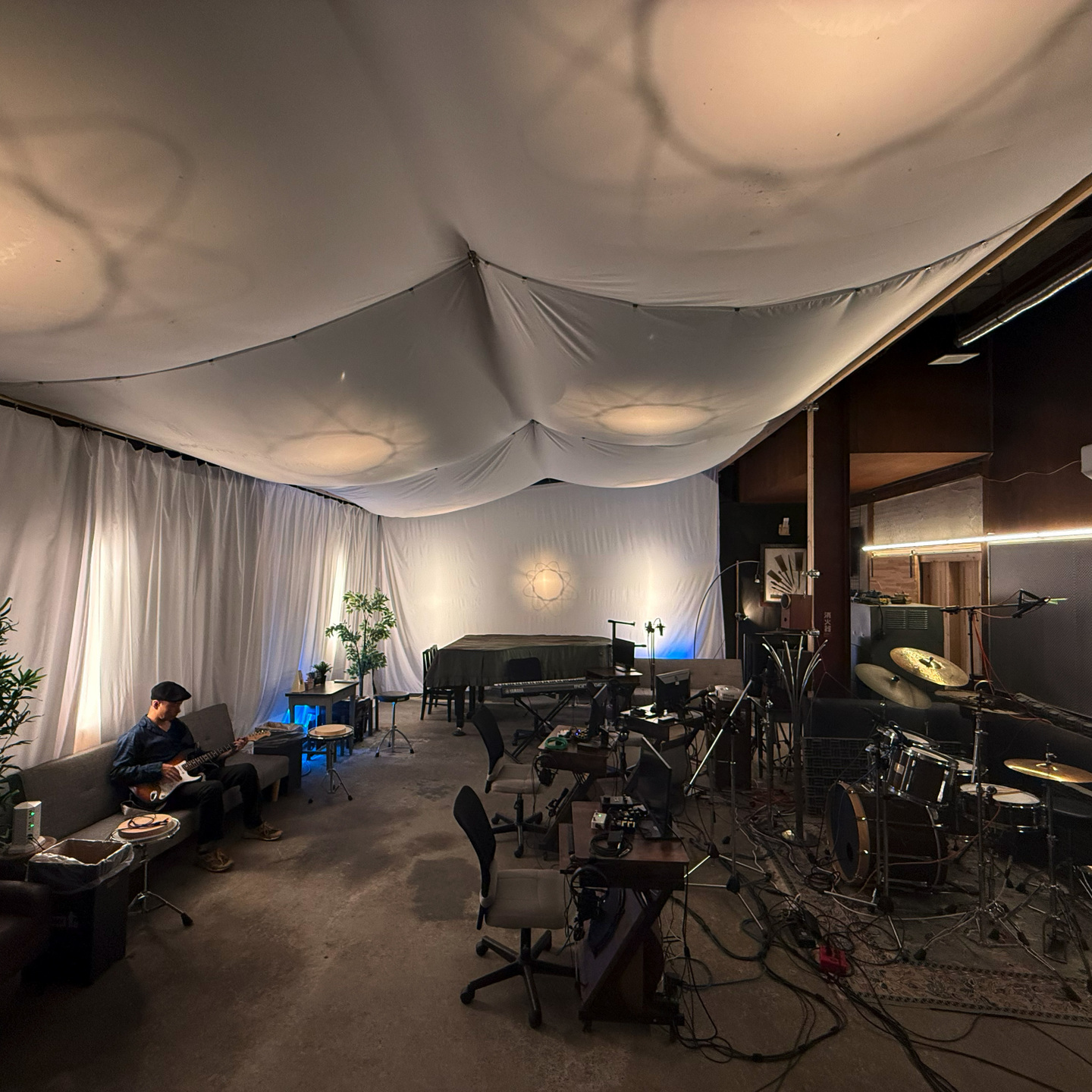
Designed by AMATERAS JAPAN in Nagaoka, Japan. Tested in the recording and mixing environment of Cafe au Label Studio.
BEFORE YOU BUY
For compatible VST3 or Audio Unit hosts on Windows and macOS. Check the system requirements above before buying. AAX for Pro Tools and a standalone application are not included.
Windows and macOS installers and an English README are included. No license activation is required.
One license covers multiple machines owned and used by the purchaser. Transfer or sharing with third parties is prohibited.
The macOS installer is signed and notarized by Apple — just double-click the .pkg to install. The Windows installer is not yet code-signed, so SmartScreen may show a warning the first time. Follow the installation steps in the included README.
Digital purchases are generally non-refundable. If the plugin cannot be installed or does not work in a supported environment, we will provide support or issue a refund. Contact us using the support details in your purchase receipt and include your OS, DAW and any error message.
Already purchased? If your receipt download link has expired, open My Orders and enter your purchase email address to receive a magic link.
AMATERAS JAPAN
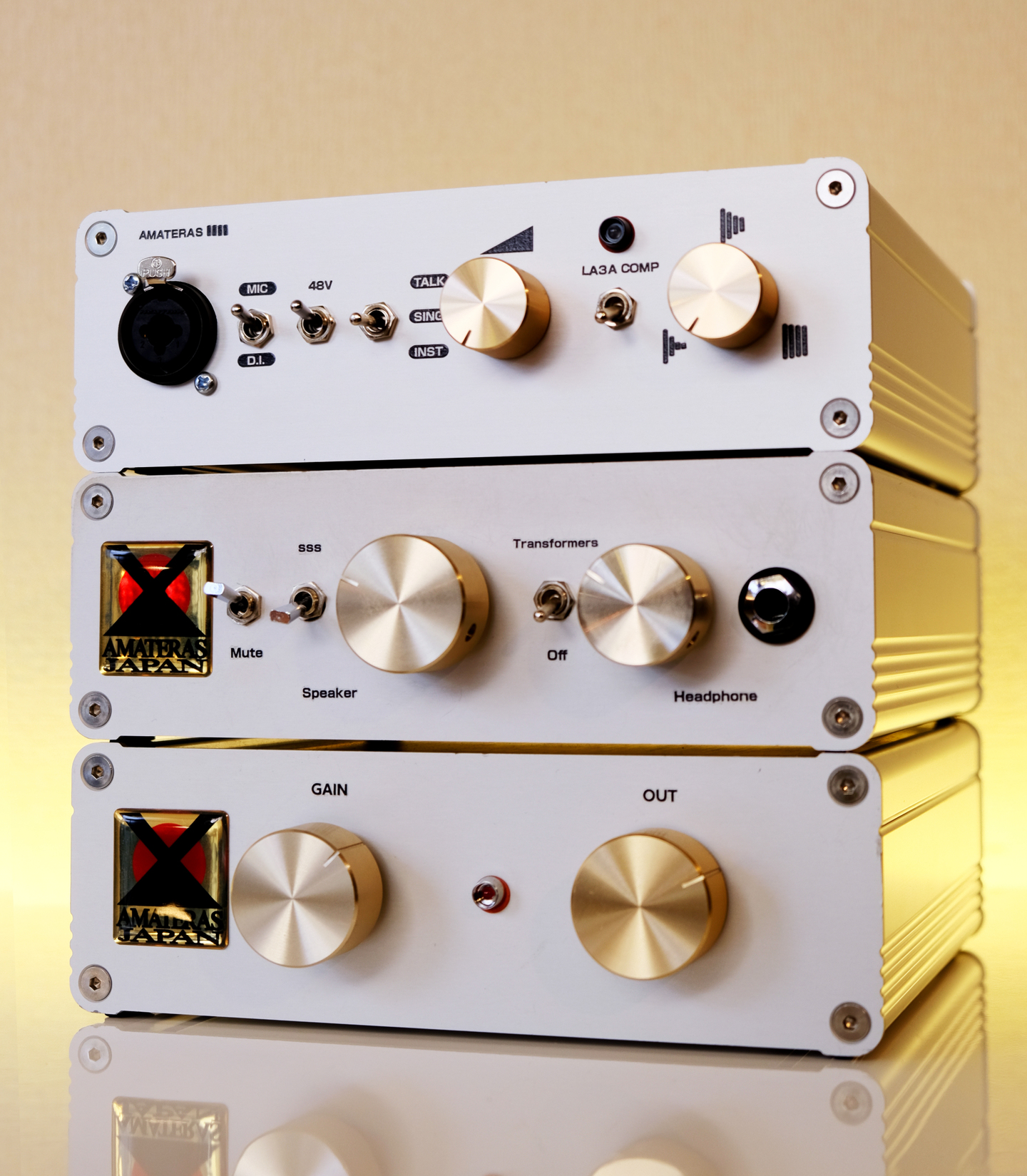
We record music. We mix and master it. We also design the hardware and plugins we want to use in our own work.
AMATERAS brings together more than 30 years of engineering experience and a working studio in Nagaoka, Japan.
The aim is simple: tools that sound good, make sense, and help you finish the music.

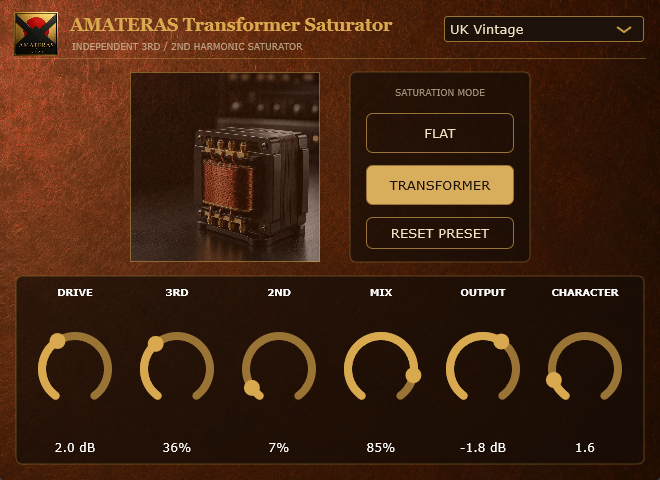
AMATERAS PLUGINS 03 / NOW AVAILABLE
OTHER AMATERAS PLUGINS
AMATERAS
AMATERAS
AMATERAS
AMATERAS
AMATERAS
AMATERAS
AMATERAS
AMATERAS
AMATERAS
AMATERAS