MASTERING
Focus on how much EQ.
A quick starting point for mastering, with a more consistent tonal character across songs. More attention goes to how much EQ to apply, rather than which frequencies to choose.
INTELLIGENT SERIES 01 / LEARN-BASED EQ
The more you EQ,
the less sure you feel?
It sounds muddy. But cutting makes it thin.
Let EQ Fix listen for a moment.
Press LEARN and play your vocal or instrument. EQ Fix analyzes its tonal balance and creates a correction curve.
Then adjust the amount by ear. A starting point for the balance makes it easier to get on with shaping your sound.
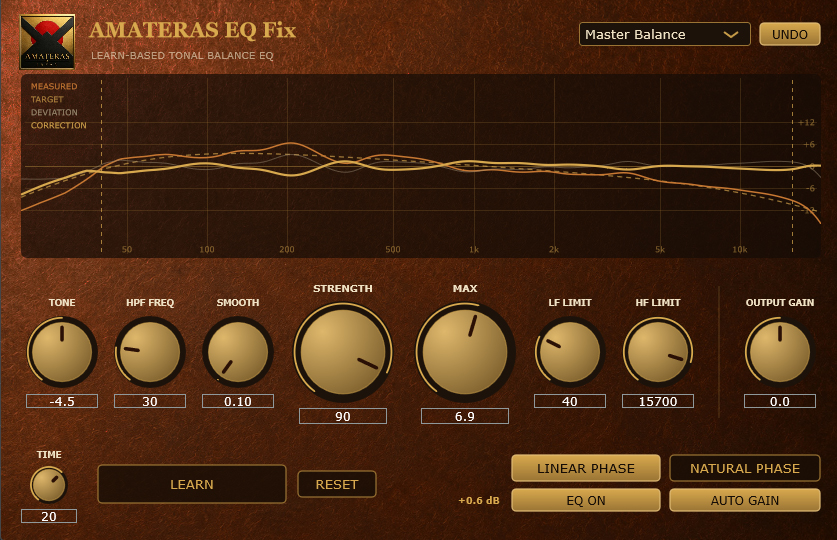
EARLIER INTERFACE SHOWN · CURRENT PRESETS USE NATURAL PHASEWINDOWS / macOS · VST3 / AU · 100% LOCAL ANALYSIS
01 / BEFORE & AFTER
LISTEN TO THE DIFFERENCE
Compare the original tracks with the same audio through EQ Fix. Headphones or good monitors are recommended.
DEMO / QUICK GUIDE / BEFORE & AFTER LISTENING
Now hear it on your own vocals and instruments.
Let it listen. Set the amount.
02 / THE RESULT
A STARTING POINT FOR YOUR SOUND
LESS GUESSWORK. MORE MUSIC.
A vocal with an uneven tone. A guitar that needs a little balance. A mix you want to check once more.
Choose a preset for the source and let EQ Fix listen for around 20 seconds. Use the curve as a starting point, then decide how much correction you want.
Use the curve as it is.
Or make it your own.
USER EXPERIENCES
EQ FIX IN USE
Feedback from EQ Fix users, summarized and translated from Japanese.
MASTERING
A quick starting point for mastering, with a more consistent tonal character across songs. More attention goes to how much EQ to apply, rather than which frequencies to choose.
VOCALS
A useful suggested curve for each vocal—even as the singer, song, microphone and recording environment change.
GUITARS
Guitars that felt thin through an amp simulator take on a fuller, bolder sound.
WORKFLOW
Insert it across the tracks, run LEARN, and use that as the starting point. Let the analysis do the groundwork and keep the creative momentum going.
03 / THREE STEPS
INSERT · LEARN · ADJUST
No need to begin with dense spectrum analysis or dozens of narrow bands. Choose a preset, press LEARN, then make the final call with your ears.
Insert EQ Fix on a track and select the preset that fits the job.
Play the song and press LEARN. Listening time can be set from 1 to 30 seconds.
Keep the result, or use STRENGTH to adjust the amount and MAX to limit the boost and cut.
04 / LEARN
LONG-TERM SPECTRAL ANALYSIS
Instead of chasing momentary peaks, EQ Fix measures the average spectrum over the listening period. It identifies tonal tendencies that persist across the track and draws only the correction that is needed. Results are saved with the project.
PRIVATE BY DESIGN
Spectrum analysis and curve generation happen entirely inside the plugin. No audio upload. No account login. No license authorization.
05 / MUSICAL TARGET
NOT A MECHANICAL FLATTENING
The target is not a mechanically flat pink-noise response. It follows the average spectrum of real music: a natural midrange slope with gentle roll-offs at both ends.
Move the target slope to suit the source and the music.
The low and high ends converge gently with the natural energy of music.
The compensated display makes the source's tonal state easy to read at a glance.
06 / LIMITS
CHOOSE WHAT NOT TO TOUCH
Automatic does not mean giving up control. Set the lower and upper correction limits to protect the parts of the sound you shaped intentionally.
Preserve the weight you built into a bass or kick, or keep unwanted vocal lows outside the analysis. No corrective EQ is applied below the limit.
Preserve a guitar cabinet's natural upper boundary or a deliberately dark tone. No corrective EQ is applied above the limit.
ALWAYS-ON HPFVariable from 20–150 Hz. Quietly clears unwanted sub-bass before correction.
07 / PHASE & GAIN
TRUSTWORTHY DECISIONS
Minimum-phase processing with zero latency, for both individual tracks and stereo mixes. All presets use Natural Phase in v1.0.2.
Select it manually when you want linear-phase correction. It adds latency and can introduce pre-ringing around transients. Compare by ear before deciding.
Automatically matches level before and after correction for an honest tonal comparison.
08 / CONTROLS
MEASURE · SHAPE · LIMIT · DECIDE
Adjusts the midrange slope of the musical target curve.
An always-on high-pass filter that clears unwanted sub-bass before correction.
Moves from broad tonal shaping to more detailed correction.
Sets how much of the generated correction curve reaches the sound.
Caps the maximum boost and cut, keeping automatic correction under control.
No corrective EQ is applied below this frequency.
No corrective EQ is applied above this frequency.
Sets how long LEARN listens. The default is 20 seconds.
Sets final output level. AUTO GAIN matches level before and after correction.
09 / PRESETS
SIX PRACTICAL STARTING POINTS
Correction range and target slope are prepared for each job. Every preset starts in Natural Phase. Pick a preset and start by letting EQ Fix listen.
6 PRESETS / VERSION 1.0.2For masters and stereo mixes. Gently balances the full mix using Natural Phase.
For stereo tracks. A clear, natural tonal balance using Natural Phase.
For mono tracks. Natural-phase processing with zero latency.
Balances the core of a vocal without overworking the low end.
For guitar and bass amps. Leaves frequencies above the cabinet range untouched.
The working setup used by developer and music maker Sugarfields Hara.
10 / INSIDE
BUILT FOR A FAST, TRUSTWORTHY DECISION
All analysis happens inside the plugin. Your audio is never uploaded.
Measurement results are saved with the project and recalled automatically.
Natural Phase runs at zero latency on mono and stereo sources.
Switch EQ on and off without a timing shift for accurate comparison.
Master, stereo, mono, vocal, amp, and Sugarfields starting points included.
NEXT / AMATERAS LIMITER MAX
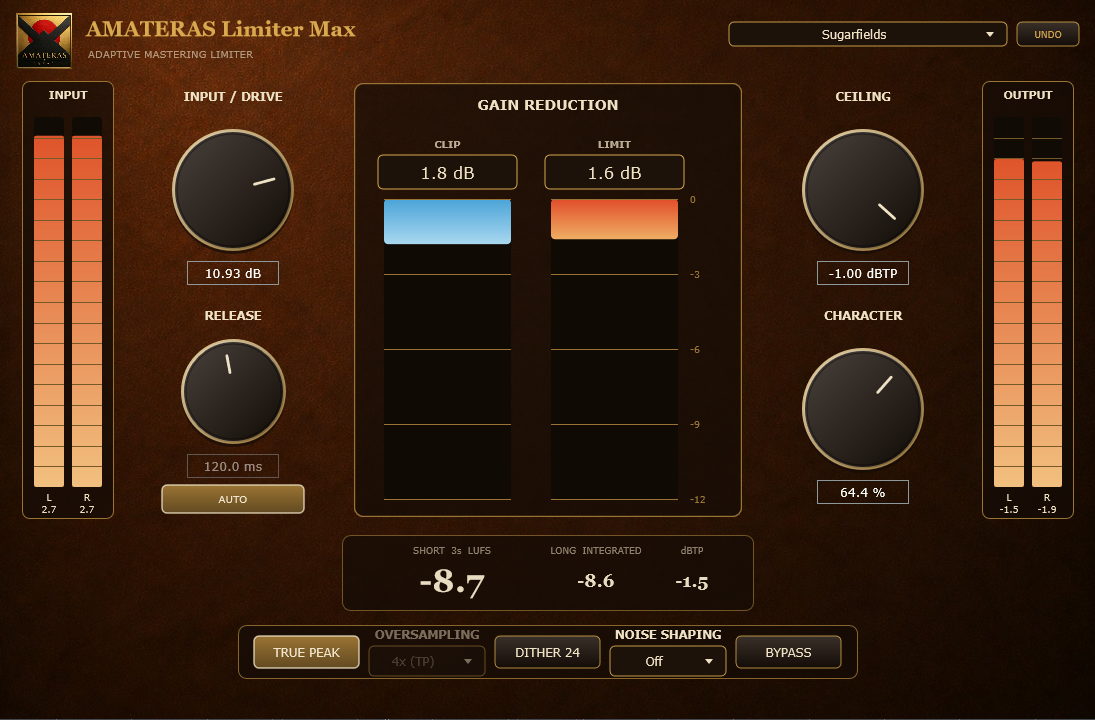
Shape the tonal balance of your stereo mix with EQ Fix. Then use Limiter Max to build loudness while keeping an ear on drum punch and vocal clarity.
A simple starting point for your mastering chain.
A track you’re excited to share.
VERSION 1.0.2 / RELEASE SPECIFICATION
BEFORE YOU BUY
For compatible VST3 or Audio Unit hosts on Windows and macOS. Check the system requirements above before buying. AAX for Pro Tools and a standalone application are not included.
Windows and macOS installers and an English README are included. No license activation is required. English and Japanese quick-start PDF guides are also included.
One license covers multiple machines owned and used by the purchaser. Transfer or sharing with third parties is prohibited.
The macOS installer is signed and notarized by Apple — just double-click the .pkg to install. The Windows installer is not yet code-signed, so SmartScreen may show a warning the first time. Follow the installation steps in the included README.
Digital purchases are generally non-refundable. If the plugin cannot be installed or does not work in a supported environment, we will provide support or issue a refund. Contact us using the support details in your purchase receipt and include your OS, DAW and any error message.
Already purchased? If your receipt download link has expired, open My Orders and enter your purchase email address to receive a magic link.
AMATERAS EQ FIX
AMATERAS JAPAN
NAGAOKA, JAPAN
AMATERAS JAPAN is a Japanese audio brand that brings experience in recording and mixing to carefully crafted plugins.
We focus on sound quality that meets the demands of professional production, with intuitive controls that take you straight to the sound you want. From subtle detail to rich, spacious textures, simple controls make it easy to bring that quality into your music.
From studios in Japan to music makers around the world.
Professional tools. Exceptionally easy to use.
OTHER AMATERAS PLUGINS
AMATERAS
AMATERAS
AMATERAS
AMATERAS
AMATERAS
AMATERAS
AMATERAS
AMATERAS