Let the words come through.
Clear unwanted lows with HP, reduce muddiness and add a little presence. Make the vocal easier to hear while keeping its character.
AMATERAS PLUGINS / 6-BAND PARAMETRIC EQ
Shape with confidence.
Keep it clear.
Make it beautiful.
See where you want to work. Grab a point and move it.
Listen as you adjust, and find the sweet spot.
A little more body. A little more presence.
Shape the sound directly on the spectrum.
Try an idea the moment you hear it in your head.
See it. Grab it. Shape it.
EQ becomes a pleasure.
Windows / macOS · VST3 / AU · Zero latency
FILM
WALKTHROUGH
AMATERAS EQ PURE
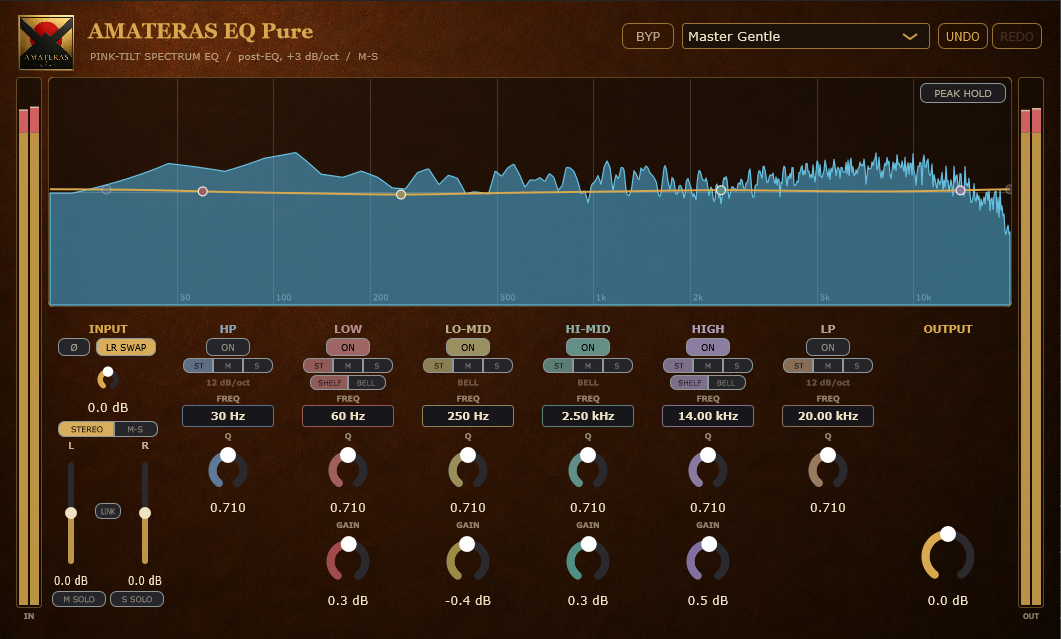
Watch the spectrum as the controls move, and hear how each adjustment changes the sound. Imagine where you’d reach on your own track. Japanese narration with English subtitles.
Watch on YouTube01 / TRACKS TO MASTER
Clear unwanted lows with HP, reduce muddiness and add a little presence. Make the vocal easier to hear while keeping its character.
Clean up guitar and keyboard lows that compete with kick and bass. Listen in context to keep the body and brightness the part needs.
Refine the low end and attack of bass and drums. Find definition as well as weight, without simply turning up the lows.
Use the analyzer to see the overall balance, then make gentle changes. On the mix bus or during mastering, fine adjustments of just 1–2 dB can help refine the balance.
02 / SEE THE BALANCE
A spectrum display can be hard to read. Even a well-balanced sound often slopes downward, leaving you to work out which peaks and dips actually matter.
EQ Pure gives you a level visual reference for tonal balance. Peaks and dips become useful clues to areas that may need more or less energy.
A flat reference helps you get your bearings.
Your ears decide what suits the music.
Every instrument has its own character, and every mix needs a different balance. Use the display to find an area, then listen as you adjust it.
The analyzer shows the signal after EQ. Band points and EQ curves sit over the spectrum, so you can see where you are working and what your adjustment changes.
PEAK HOLD keeps each frequency’s peak visible. It helps you spot brief buildups that are easy to miss in a moving display.
Eight labeled guides — 50, 100, 200 and 500 Hz, plus 1, 2, 5 and 10 kHz — help you locate the range you want to adjust.
03 / KEEP THE SOUND
Smooth, minimum-phase EQ with broad curves when you want a gentle touch. Add a little weight, ease back the mud, or open up the top end while listening for what suits the track.
The analog feel is in the way you shape the sound. EQ Pure adds no saturation or noise. You get a clear spectrum display, hands-on control and 20-step UNDO / REDO, so you can explore an idea and return to the sound you liked.
Light on CPU. Zero latency.
Easy to work with, from mixing to mastering.
04 / SHAPE THE STEREO IMAGE
Shape the stereo image as well as the tone. Each band can process the full stereo signal, the shared center information, or the difference between the left and right channels. That’s Mid/Side processing.
Bring the low end toward the center while keeping the upper frequencies spacious. All within the same EQ.
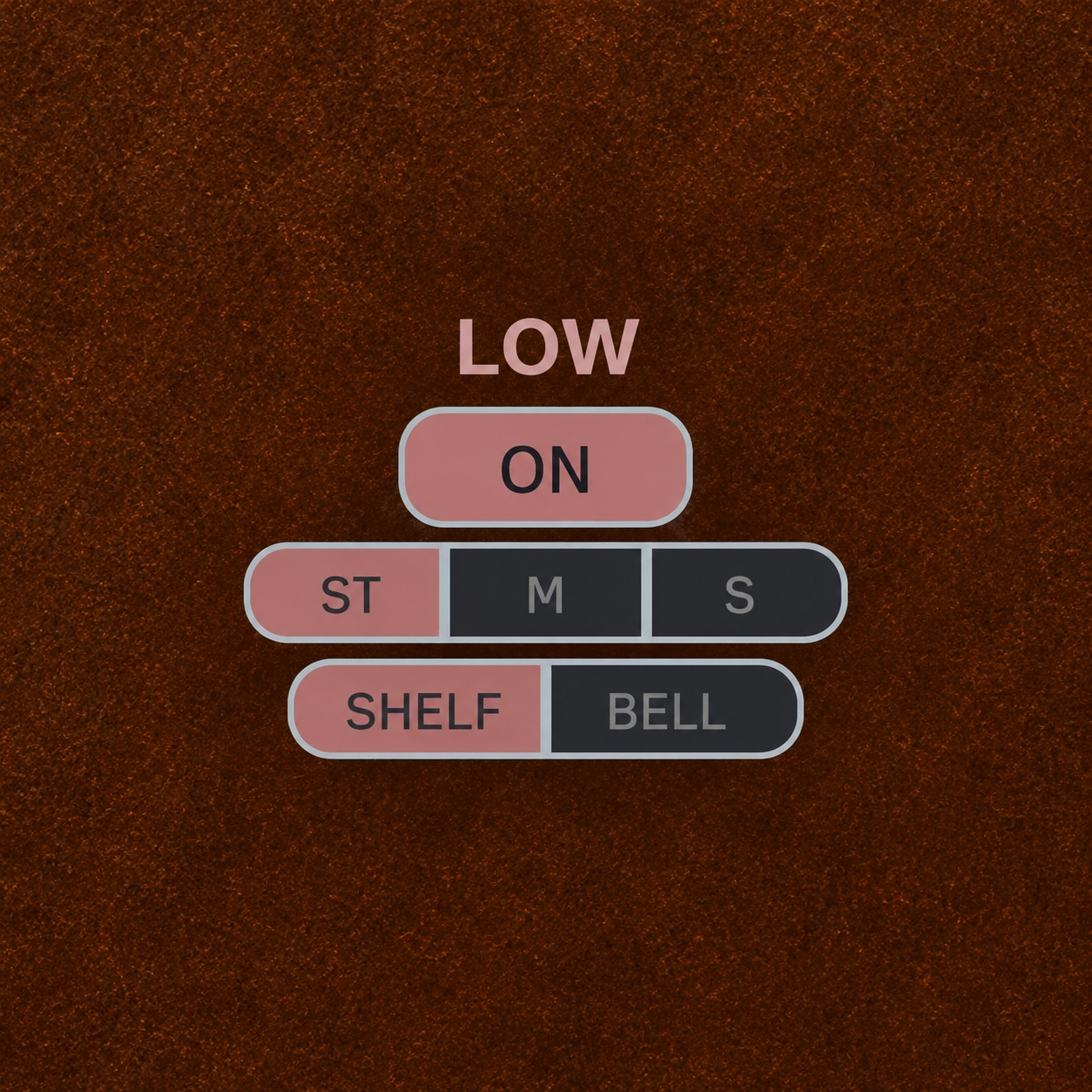
Assign HP to S and set it around 120 Hz. Reducing low-frequency Side information helps the kick and bass feel more focused in the center.
The 12 dB/oct slope reduces Side information gradually. It does not make everything below the cutoff completely mono.
Boost a band assigned to S to increase Side information in that range. Cut it to bring that range inward. Shape the low end and the highs differently.
Assign a band to M to adjust the center without changing the Side signal. Shape the range where a centered vocal or snare needs attention.
This affects all Mid information in that range. It does not isolate individual instruments.
05 / BALANCE AT A GLANCE
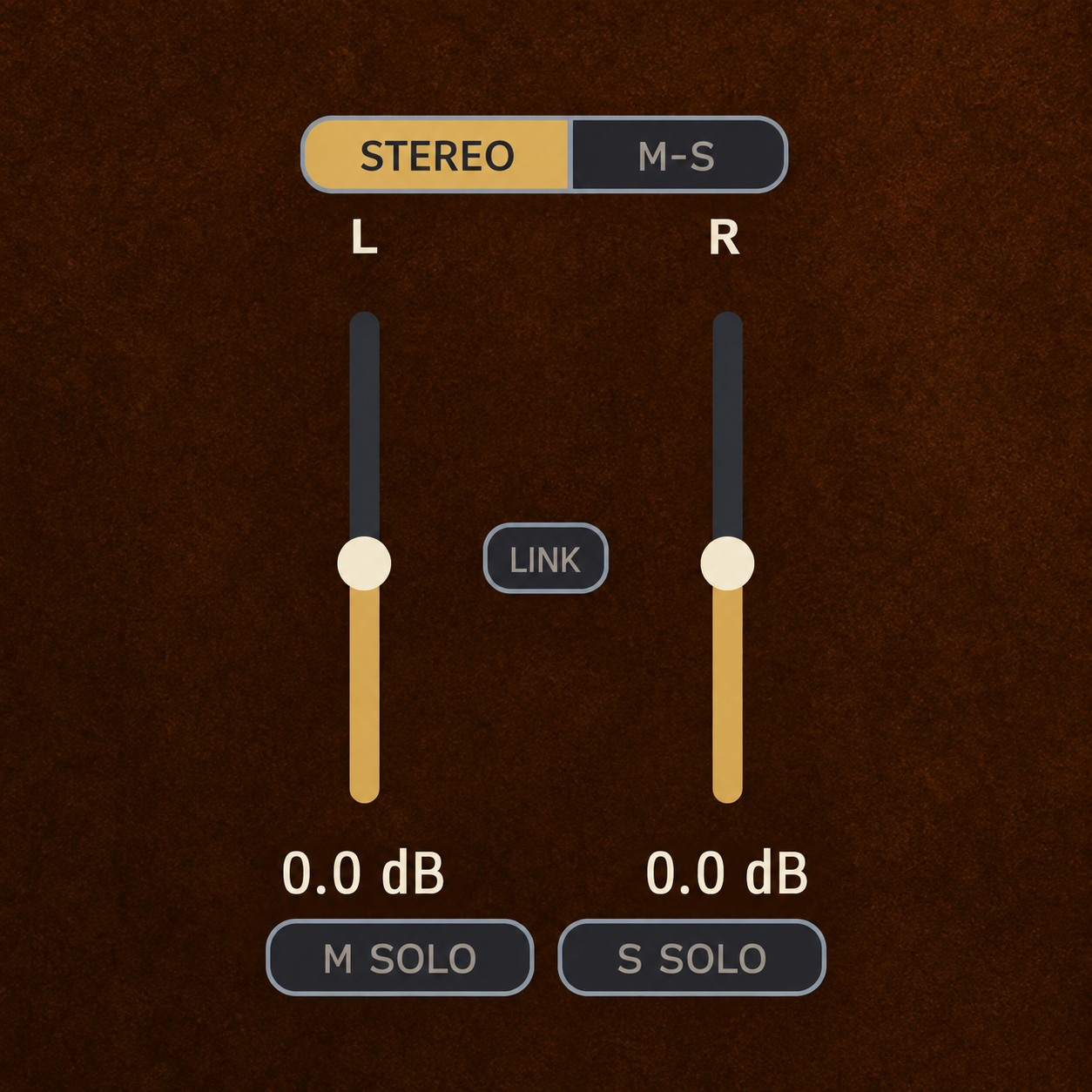
A recording leans slightly to the right. A mix feels too wide and loses its center. Choose a mode and adjust the two faders.
Adjust left and right levels independently to correct an uneven stereo balance.
Balance the center against the width. Raise S for more Side information, or lower it for a more centered image.
Each fader offers ±12 dB of adjustment. LINK moves both together. Their positions make the level balance easy to see.
Use M SOLO / S SOLO below the faders to hear just the Mid or Side signal. When an enabled band is assigned to M or S, the display shows two EQ curves: Mid as a solid line and Side as a dashed line.
06 / WORK WITHOUT HESITATION
Drag points directly on the analyzer. Type in an exact frequency or hold Shift for finer control when a small adjustment matters.
UNDO / REDO remembers knob adjustments, drags and preset changes as individual steps. Revisit an earlier setting, listen, then return to your latest work.
BYP switches to the unprocessed signal without switching noise. While bypassed, the original audio passes through bit for bit, and the analyzer keeps running.
| Action | Result |
|---|---|
| Drag a point left/right or up/down | Adjust frequency or gain |
| Scroll over a point | Adjust Q — the width of the band |
| Double-click a point | Turn that band on or off |
| Drag a frequency value up/down | Change the frequency |
| Double-click a frequency value | Enter an exact frequency |
| Hold Shift while adjusting | Make fine adjustments |
| Double-click a Q or GAIN knob | Reset it to its default value |
| Alt-click a frequency value | Reset the frequency to its default |
07 / PRESETS
Preset boosts and cuts stay within ±2 dB. Choose a starting point for the source, then adjust it to suit the recording and your taste.
Low-End Cleanup 100 / 150 helps make room for kick and bass by reducing unnecessary lows in other instruments. Start around 100–150 Hz and adjust to the part.
Sugarfields places bands at the developer’s frequently used frequencies, with gains at zero. A ready-to-adjust layout that leaves the sound unchanged until you start working.
08 / SPECIFICATIONS
AMATERAS EQ SERIES
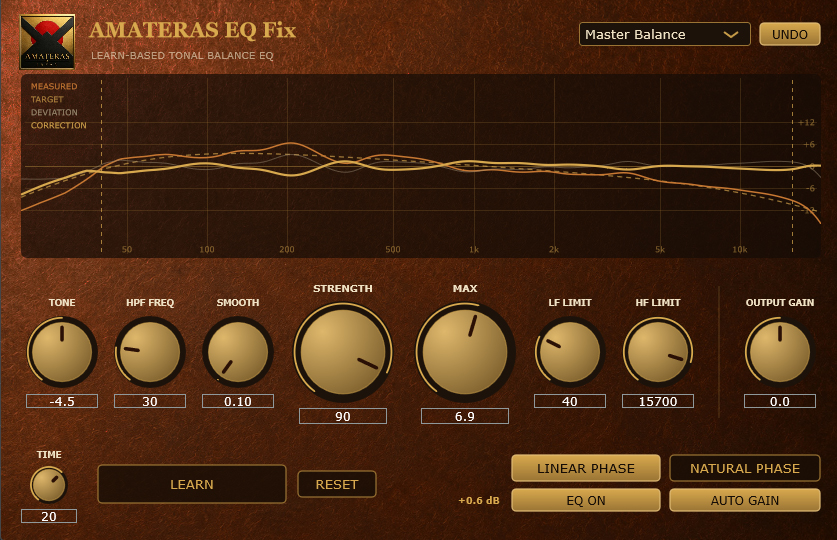
Start with EQ Fix to balance the tone. Then reach for EQ Pure to bring the vocal forward, add a touch of body or open up the stereo image. A hands-on creative tool for the choices that make a track sound like you.
Analyze the source and quickly correct broad tonal imbalances.
Shape tone and stereo imaging by hand.
Follow the sound in real time for the finishing touches.
EQ Pure also works on its own, from corrective EQ to creative sound shaping and mastering.
Tomonobu Hara, founder of AMATERAS JAPAN, has spent over 30 years making and engineering music, with a major-label debut in 1996. For his solo project Sugarfields, he handles writing, recording, mixing and mastering himself. EQ Pure is built around that everyday work.
AMATERAS EQ PURE
See the sound. Follow your ears. Enjoy the process.
From a single track to mixing and mastering.
Put your own finishing touch on the music.
Windows / macOS · VST3 / AU · Zero latency
Need to download again? Visit My Orders and use your purchase email address to request a sign-in link.
OTHER AMATERAS PLUGINS
AMATERAS
AMATERAS
AMATERAS
AMATERAS
AMATERAS
AMATERAS