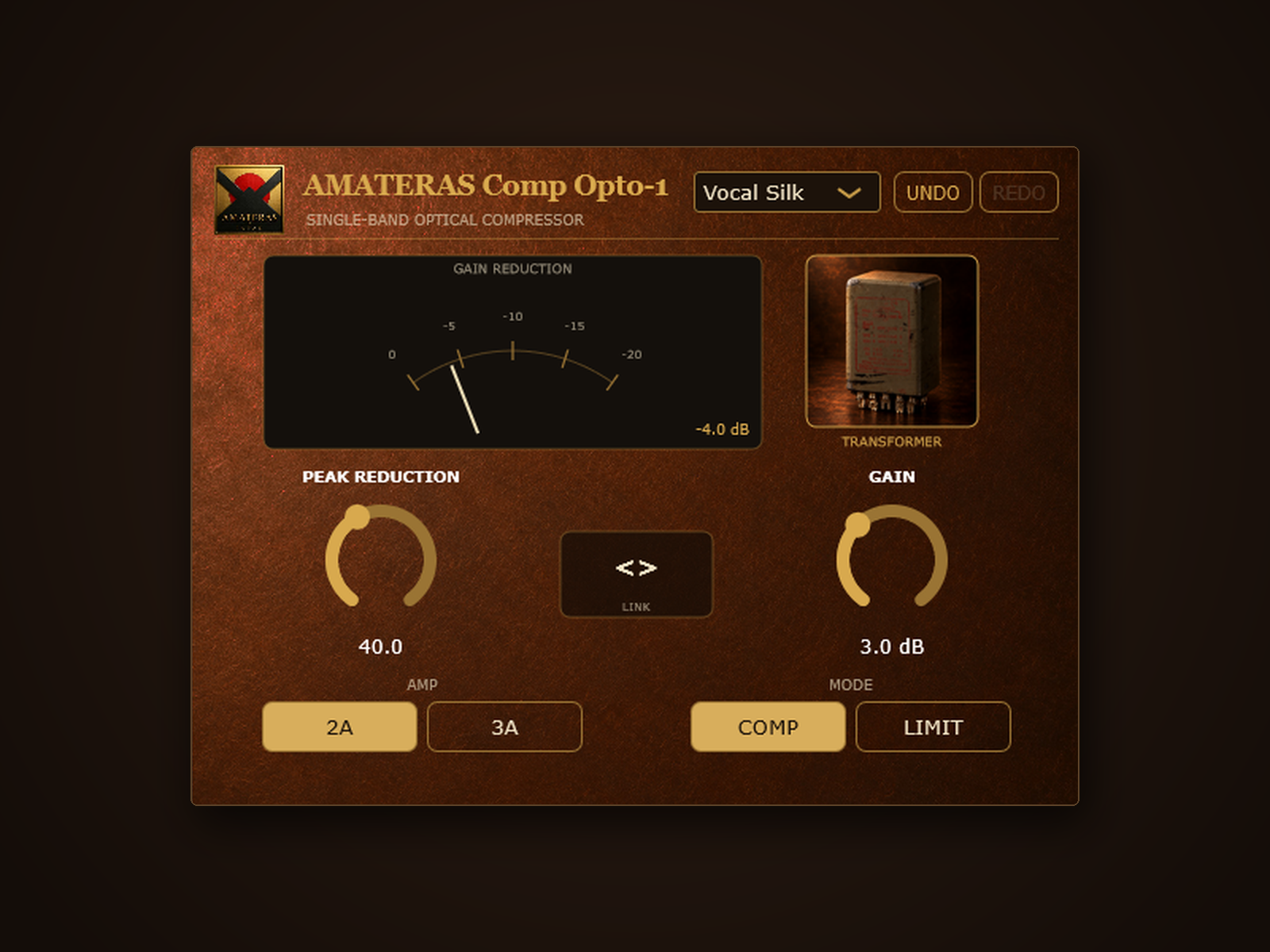
PEAK REDUCTION
Even out vocal and instrument levels.
Turn it up for deeper compression. Listen for a more even performance while keeping the breath, expression, and movement you want.
SINGLE-BAND OPTICAL COMPRESSOR
Smooth, even levels. Just two knobs.
Smooth vocals. Solid bass.
Get the smooth, responsive feel of 1960s-style optical compression. Set the compression depth and output level, and let the response follow the performance.
Switch on output transformer saturation for added density and presence.
Windows / macOS · VST3 / AU · No license activation
01 / OPTICAL COMPRESSION
Optical compressors use light and a sensor to control level. The sensor’s response lets the compression recover differently depending on the material.
Sustained loud passages recover more slowly. Short sounds recover faster. That changing response helps vocals and bass feel smooth and controlled.
Comp Opto-1 brings this behaviour into your DAW. Listen for the grip and movement your track needs, without setting attack and release times.
02 / TWO KNOBS
Threshold, ratio, attack, release: there is a lot to consider before you hear the result. Here, you choose compression depth and output level. There are no attack or release controls; the response follows the material.
PEAK REDUCTION
Turn it up for deeper compression. Listen for a more even performance while keeping the breath, expression, and movement you want.
GAIN
Restore the volume lost through compression. Once the dynamics feel right, set the level that fits your mix.
03 / LINK

Deeper compression lowers the output. When the levels differ, it is harder to tell whether a setting sounds better or simply louder.
Drag the central LINK “<>” control up or down to move PEAK REDUCTION and GAIN together. Gain rises to compensate as you increase compression, saving you repeated trips between the two knobs.
With smaller level differences, it is easier to hear what matters: how the words settle, how the bass holds together, and how much movement you want to keep.
Place the pointer on the “<>” control in the centre of the panel.
Adjust compression depth and gain in one movement.
Keep level differences down as you judge how the words and notes sit.
04 / TWO CHARACTERS
Choose a warmer, rounder feel or a firmer, more defined sound. The AMP button switches between tube-style and solid-state-style amplifier characters in the same plugin.
A warmer, smoother character for vocals and lightly compressed acoustic guitar. Choose it when you want the part to feel rounded and cohesive.
A firmer character with a harder edge. Use it to hold bass and drums together while retaining definition.
05 / OUTPUT TRANSFORMER
The levels are controlled, but the track still needs more body and presence. The output transformer stage gives you that extra character, right inside the compressor.
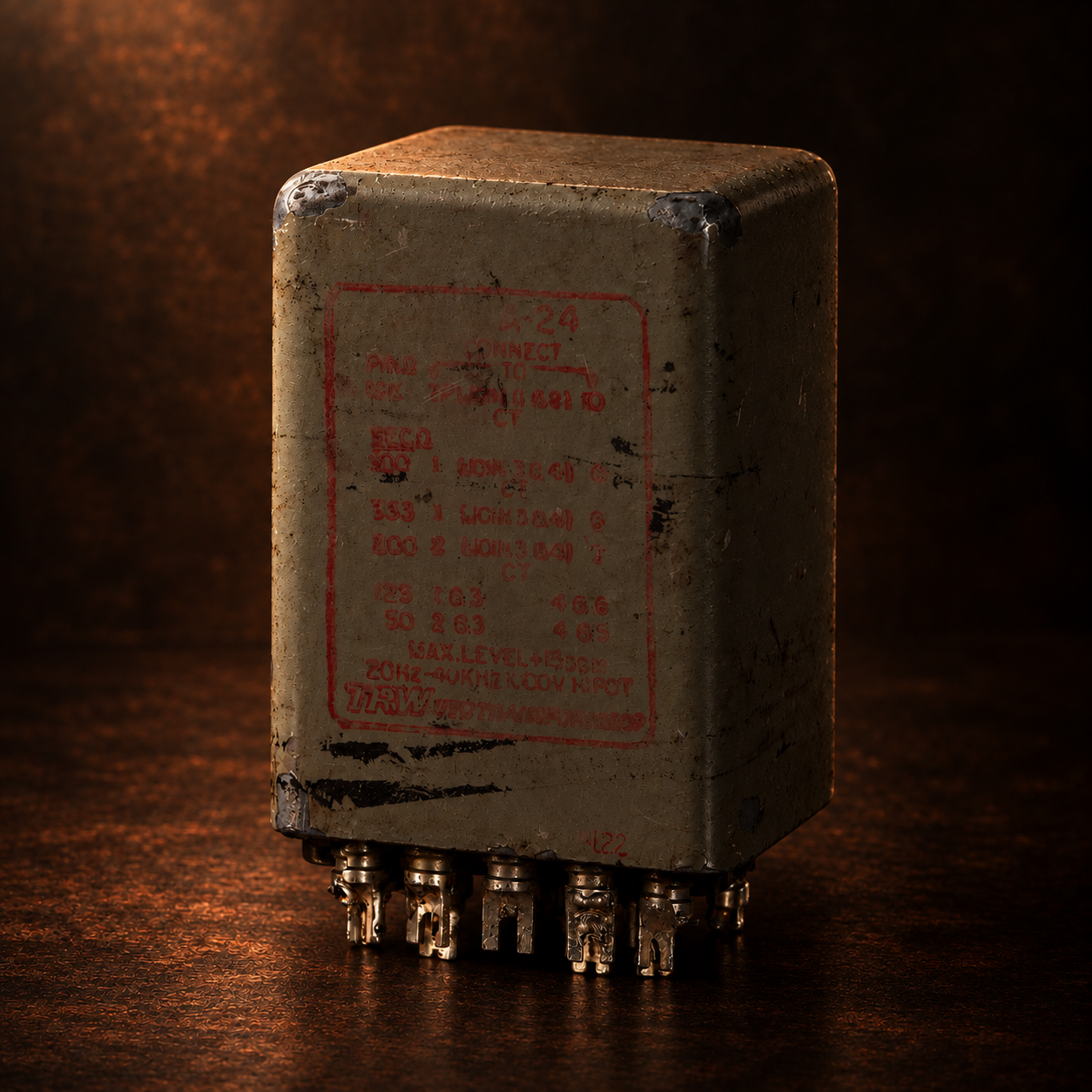
In 1960s optical compressors, the compression circuit was only part of what you heard. Large output transformers also shaped the signal, adding density and a more forward feel. Comp Opto-1 includes output transformer saturation to bring that character into your track.
Click the transformer image inside the plugin to turn the stage on. Saturation adds colour, density and presence to the compressed signal. Switch it off to hear the compression without the transformer stage. You can compare both sounds in the same plugin.
The transformer stage uses settings chosen for its sound, so there is no extra set of parameters to work through. Use the compression on its own, or add the transformer character. Listen to both and choose what suits the song.
Designed for the full character of vintage optical compression, including the saturation of the output transformer.
06 / IN YOUR MIX
VOCAL
Choose Vocal Silk and AMP 2A. Increase PEAK REDUCTION until the words settle together, listening for the expression you want to retain.
BASS
Start with Bass Glue and 3A. Smooth out note-to-note level differences while keeping the definition and weight of the bass.
DRUM BUS
Choose Drum Bus and apply light compression. Bring the individual hits together into a more cohesive kit.
ACOUSTIC GUITAR
Use 2A with gentle compression to even out picking strength. Listen for a natural balance without losing the player’s expression.
MIX BUS
Use COMP at a shallow setting. If the mix needs more body, turn on TRANSFORMER and compare.
07 / TRY. LISTEN. RETURN.
Move through knob adjustments and preset changes. Revisit an earlier setting, listen, and return to your latest version.
The GR meter shows how much gain is being reduced. Watch the needle’s depth and recovery as you listen to the response.
08 / PRESETS
Vocals, bass, drums: choose a name that fits the job. Your transformer setting stays fixed while you try different presets.
09 / CONTROLS & SPECIFICATIONS
| Control | Function and range |
|---|---|
| PEAK REDUCTION | Compression depth: 0–100 (default 50) |
| GAIN | Output gain: −6 to +20 dB (default 0 dB) |
| LINK <> | Drag vertically to adjust PEAK REDUCTION and GAIN together |
| AMP | 2A: tube-style / 3A: solid-state-style (default 3A) |
| MODE | COMP: smooth levelling / LIMIT: stronger peak control (default COMP) |
| TRANSFORMER | Output transformer saturation, on/off by clicking the image (default off) |
| UNDO / REDO | 20 steps for knob adjustments and preset changes |
| GR METER | Gain reduction displayed on a VU needle, 0 to −20 dB |
| Item | Specification |
|---|---|
| Product | AMATERAS Comp Opto-1 |
| Formats | VST3 / AU |
| Windows | Windows 10 or later, 64-bit |
| macOS | macOS 10.13 or later, Intel / Apple Silicon |
| Sample rates | 44.1 kHz–192 kHz |
| Latency | 59 samples (about 1.2 ms at 48 kHz), compensated by your DAW’s plugin delay compensation |
| License activation | None. Install and use |
| Pro Tools / AAX | Not supported |
| Standalone | Not included |
| Developer | AMATERAS JAPAN / Cafe au Label, Nagaoka, Niigata, Japan |
10 / BEFORE YOU BUY
This version is not code-signed. Your operating system will display a warning during installation.
When SmartScreen displays a warning, choose “More info”, then “Run anyway”.
If the installer (.pkg) is blocked, click “Done” to close the warning. Do not choose “Move to Trash”. Open System Settings → Privacy & Security → Open Anyway to continue. This option is available for about one hour after the installer is blocked.
Right-click the installer (.pkg) and choose “Open” to install.
Code signing and notarization are planned for a future update.
AMATERAS JAPAN / NAGAOKA
AMATERAS JAPAN is a small maker in Nagaoka, Japan, with more than 500 audio hardware units shipped, including microphone preamps and microphones. Comp Opto-1 grows out of that hands-on work: straightforward controls and character you can choose by ear, made by people who make music too.
AMATERAS COMP OPTO-1
Set the compression with two knobs. Add transformer density if the track needs it. Listen, compare, and choose the sound that fits.
Buy on Lemon SqueezyWindows / macOS · VST3 / AU · No license activation
OTHER AMATERAS PLUGINS
AMATERAS
AMATERAS
AMATERAS
AMATERAS
AMATERAS
AMATERAS